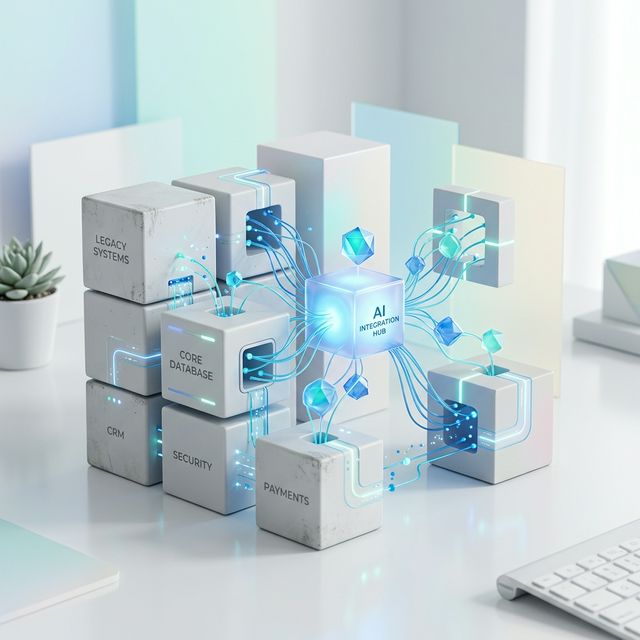
The Myth of the Ground Up Rebuild
There is a common assumption in the software industry: if you want AI in your product, you need to rebuild it from scratch. Teams hear "machine learning" or "large language model" and immediately picture a massive, multi quarter engineering effort that replaces everything they have built over the years.
This assumption is wrong. In the vast majority of cases, AI features can be added to your existing product as a layer on top of what already works. Your current database, your APIs, your frontend, and your deployment pipeline can all stay intact. What changes is that a new, intelligent service starts talking to them.
At RG INSYS, most of the AI integration projects we deliver follow this exact principle. We connect new AI capabilities to stable, production systems without disrupting the features your users already depend on.
The Sidecar Pattern: AI as a Companion Service
The most reliable way to add AI to an existing product is what we call the sidecar pattern. Instead of embedding AI logic directly into your application code, you deploy a separate service that runs alongside your main system. This companion service reads from your existing database, listens to events from your API, and exposes its own endpoints that your frontend or backend can call.
The beauty of this approach is isolation. Your existing product does not need to change its architecture, adopt new frameworks, or migrate to a different runtime. The AI sidecar can be written in Python (the dominant language for ML tooling) while your main application stays in Node.js, Java, Go, or whatever you currently use.
If the AI service goes down, your core product keeps running. If you need to swap one model for another, you update the sidecar without touching your main codebase. This separation of concerns makes everything easier to test, deploy, and maintain.
AI Features You Can Bolt On Today
Not every AI feature requires custom model training. Many of the most valuable capabilities are available through hosted APIs and open source libraries, ready to integrate in days rather than months:
- Support chatbots: Connect a large language model to your knowledge base and let it answer customer questions instantly. The LLM reads your documentation, FAQs, and help articles, then generates accurate, conversational responses.
- Semantic search: Replace keyword matching with vector based search that understands meaning. Users can search for "how do I reset my password" and find the right article even if those exact words never appear in it.
- Document parsing and extraction: Upload invoices, contracts, or forms, and let AI extract structured data automatically. This replaces hours of manual data entry with seconds of automated processing.
- Sentiment analysis: Analyse customer reviews, support tickets, or survey responses to understand how users feel about your product at scale.
- Auto categorisation: Automatically tag, label, and route incoming content. Support tickets get assigned to the right team. Blog posts get tagged with the right topics. Products get placed in the right categories.
- Face recognition and image analysis: Add identity verification, photo organisation, or visual quality checks to applications that handle images or video.
Each of these features can be added independently. You do not need to implement all of them at once, and you certainly do not need to rewrite your product to support any of them.
Three Integration Patterns That Work
Depending on your product's architecture and the AI feature you want to add, one of these three patterns will be the best fit:
1. API Gateway Pattern
Your existing API gateway or backend receives a request, forwards it to the AI sidecar for processing, and returns the enriched response to the client. This is ideal for synchronous features like chatbots and semantic search where the user expects an immediate answer.
2. Event Driven Pattern
Your application publishes events (such as "new support ticket created" or "document uploaded") to a message queue. The AI service listens for these events, processes them in the background, and writes results back to your database. This works well for tasks like sentiment analysis, auto categorisation, and document parsing where processing can happen asynchronously.
3. Batch Processing Pattern
For features that need to process large volumes of historical data, a scheduled job pulls records from your database, runs them through the AI pipeline, and stores the results. This is how you would generate embeddings for your entire document library to power semantic search, or analyse a backlog of thousands of customer reviews.
The best integration pattern is the one that matches your existing architecture. If you already use message queues, the event driven approach will feel natural. If your product is a straightforward REST API, the gateway pattern is the simplest path.
Infrastructure Considerations
Before you start building, there are a few practical questions to resolve:
- Where to run the models: For most teams, calling hosted APIs (OpenAI, Anthropic, Google, or AWS Bedrock) is the fastest path to production. You pay per request and avoid managing GPU infrastructure. If you need data to stay on premises or have extremely high volume, self hosted models using tools like vLLM or Ollama are an option, though they require more operational investment.
- API costs: LLM API pricing has dropped dramatically over the past two years. For most applications, the cost per request is fractions of a cent. Still, it is worth estimating your expected volume and building in caching, rate limiting, and prompt optimisation to keep costs predictable.
- Latency: LLM responses typically take one to three seconds. For synchronous features like chatbots, streaming the response token by token gives users immediate feedback. For background tasks, latency is rarely a concern.
- Data privacy: Understand what data you are sending to external APIs. Most providers offer data processing agreements and options to disable training on your data. For sensitive industries, consider models that can run entirely within your own infrastructure.
Real Example: Adding a Support Chatbot to a Node.js Application
One of our recent projects involved a SaaS company running a Node.js backend with a PostgreSQL database and a React frontend. They wanted a support chatbot that could answer questions using their existing help documentation.
Here is what we built:
- A Python based sidecar service that indexed their help articles into a vector database using embeddings from OpenAI.
- A single new API endpoint on their Node.js backend that proxied chat requests to the sidecar service.
- A lightweight chat widget on their React frontend that called this endpoint and streamed responses back to the user.
The entire integration took three weeks. We did not modify a single line of their existing business logic. Their deployment pipeline, their database schema, and their authentication system all remained exactly as they were. The chatbot resolved over 40% of support queries in its first month, significantly reducing the load on their human support team.
When a Rewrite Is Actually Needed
To be fair, there are situations where integration alone is not enough. If your existing product has fundamental architectural problems (no API layer, a monolithic frontend that cannot be extended, or a database that cannot handle additional read load), then those issues need to be addressed before AI features can be layered on top.
Similarly, if AI is meant to become the core of your product rather than an enhancement, a deeper architectural rethink may be warranted. Building a product where every interaction is powered by a language model is a different challenge than adding a chatbot to an existing dashboard.
But these cases are the exception. For most products, the existing foundation is solid enough to support AI features through integration. The key is an honest assessment of where your architecture stands today and which approach gives you the best return for your investment.
How RG INSYS Approaches AI Integration
When a client comes to us wanting to add AI to their existing product, we follow a structured process:
- Architecture audit: We review your current tech stack, data model, and infrastructure to identify the cleanest integration points.
- Feature scoping: We work with you to prioritise which AI capabilities will deliver the most value to your users and your business.
- Prototype and validate: We build a working prototype of the highest priority feature, typically within two weeks, so you can see real results before committing to a full rollout.
- Production integration: We deploy the AI service alongside your existing infrastructure with proper monitoring, error handling, and fallback mechanisms.
- Iterate and optimise: After launch, we refine prompts, tune retrieval pipelines, and optimise costs based on real usage data.
This approach lets you ship AI features quickly, prove their value, and expand from there. No massive rewrite. No six month roadmap before users see anything new. Just practical, incremental improvement to the product you have already built.
Related Articles
- RAG vs Fine Tuning: Which Approach Should You Choose?
- AI Led vs Traditional Software Development: What Actually Changes
- What to Consider Before Modernising a Legacy System
Want to add AI to your existing product?
Get a free scope, timeline, and cost estimate within 48 hours. No commitment required.
Book a Free Consultation →